Guidance
MyNCSC Help Centre
Page 12 of 22
Teams
- Only organisation administrators can create a team.
- Navigate to the Teams page by selecting the Teams link on the organisation card or the left-hand side menu (if you are a new organisation with no assets, you’ll need to select Manage teams on the Organisation card)
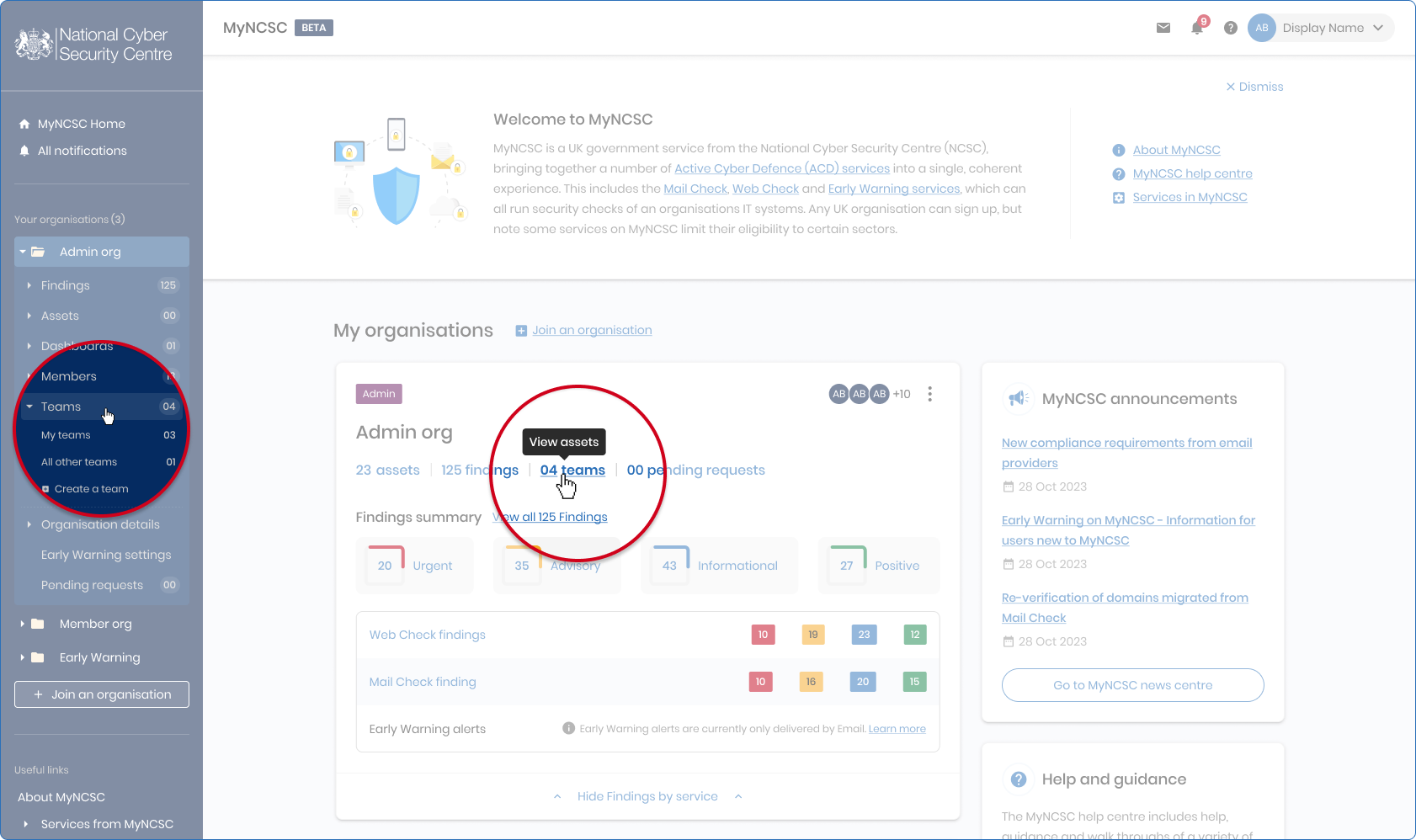
Teams on MyNCSC
- Once on the Teams page, select Create team
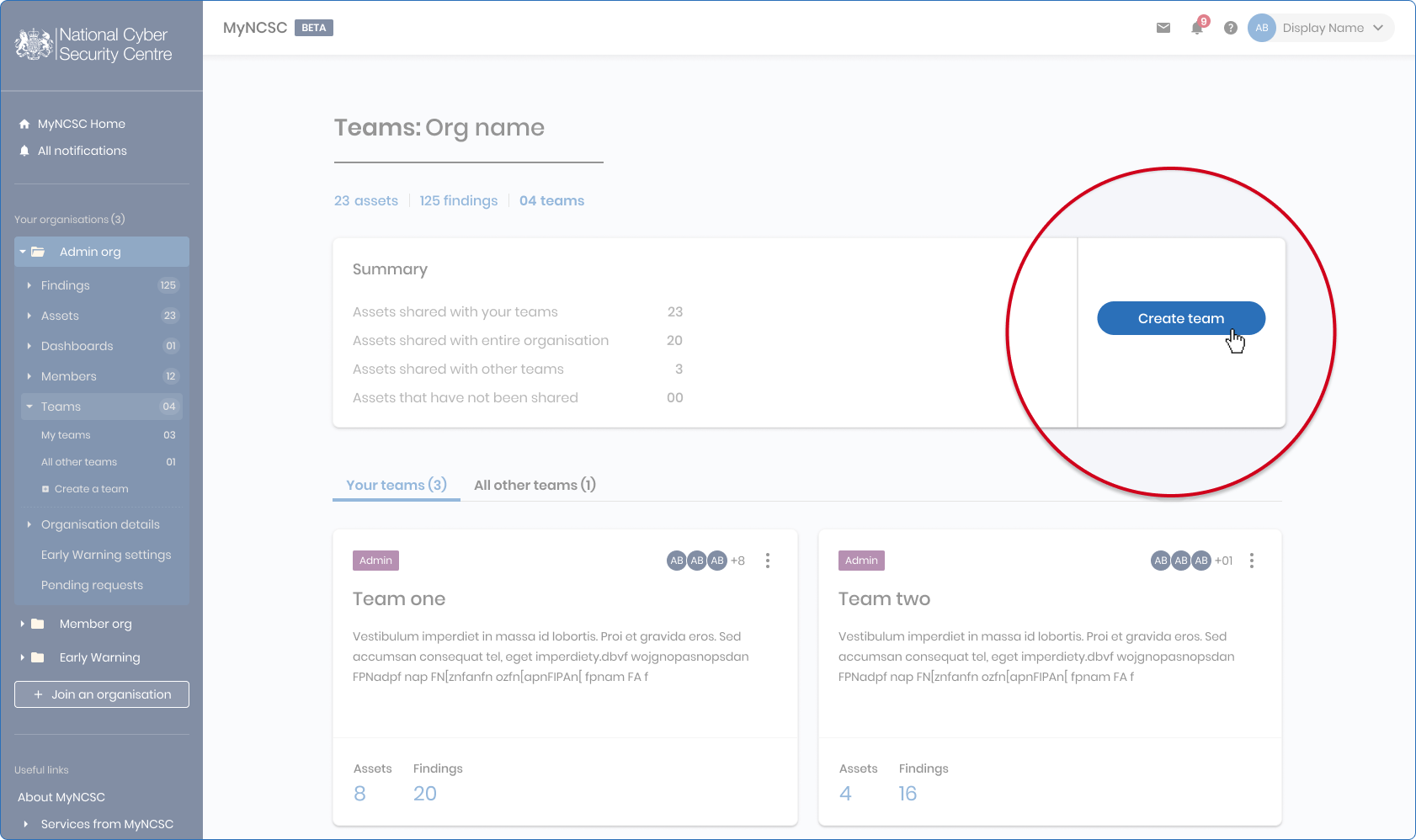
- Enter a Team name, add a short description for its purpose and select Create team
Inviting team members
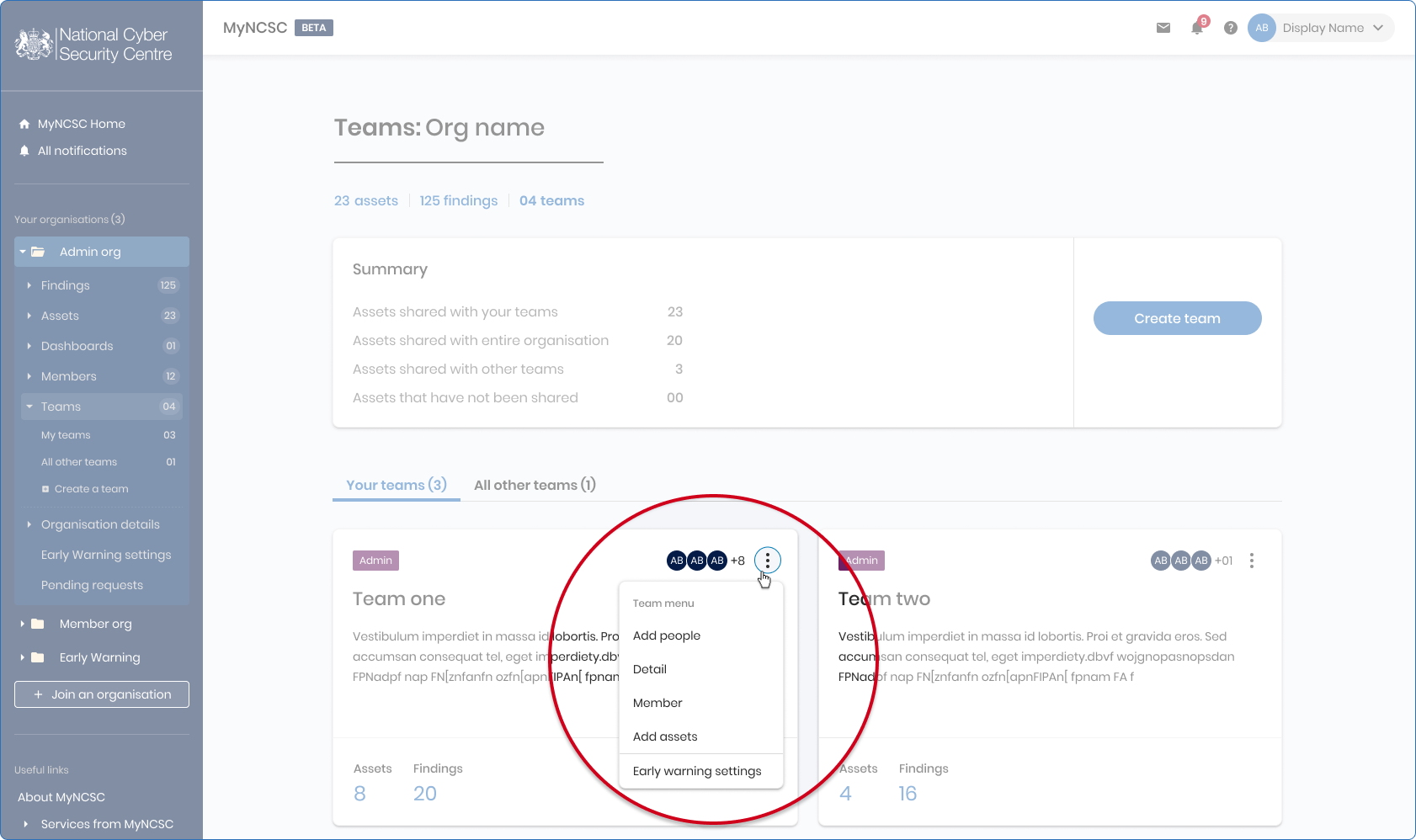
- Once you’ve created a team, select the 3 vertical circles (Team Options) to the right of the Team card you want to add someone into
- Select Add people
- A list of users from your organisation will be displayed, select those who you want to add to the team
- Select Add people
Once you’ve created your team, you can select Team Options to explore a menu of available functions.
Associating assets with teams
Assets, and resultant findings, can be associated with specific teams in a similar manner to that in which they are associated with organisations.
- To add an existing asset, go to the Assets page, find the asset and select the cog icon under Actions. Please see 'Edit and delete assets' for further information.
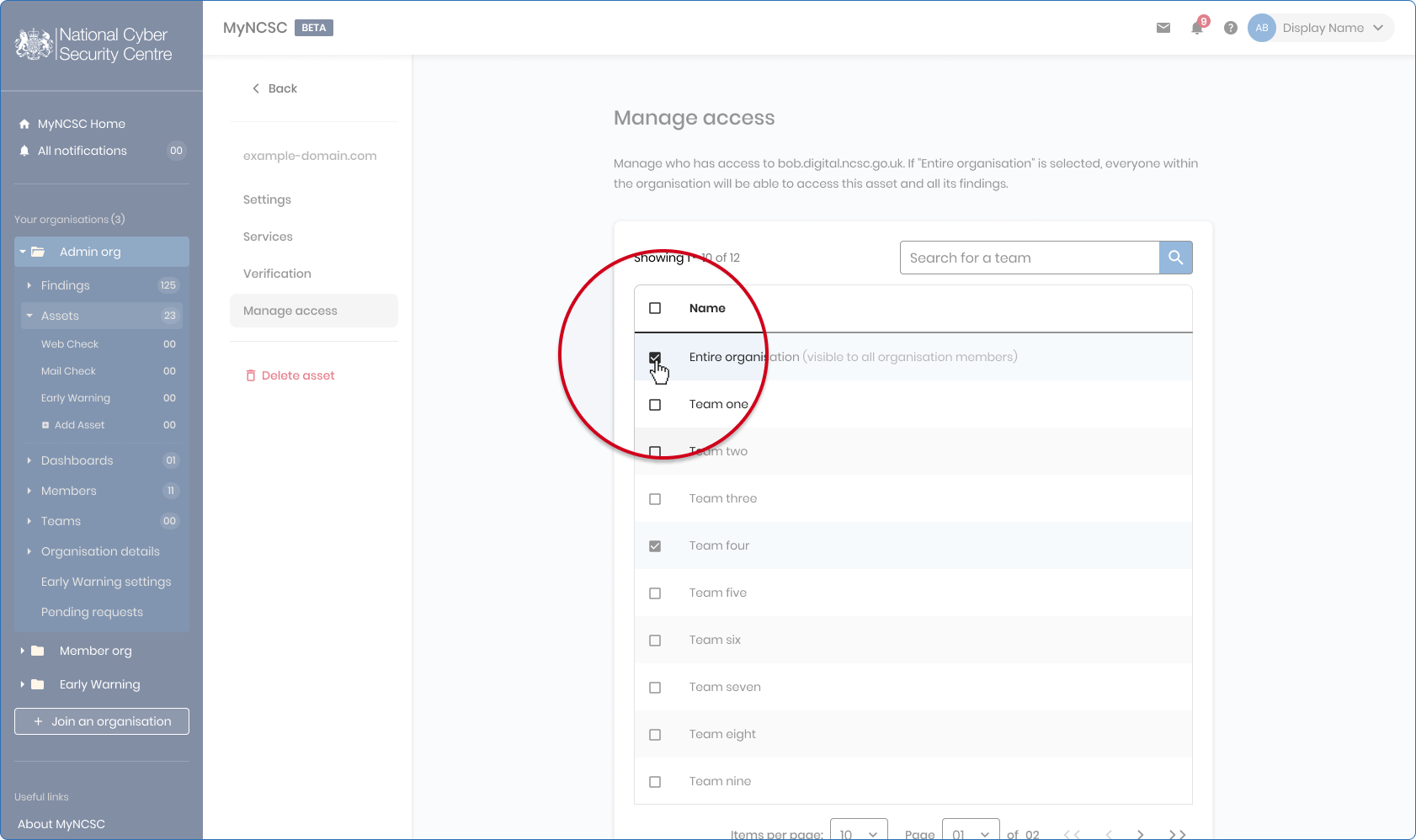
- Within Manage access, you can add the asset to a team
Your entire organisation and its members are selected by default. Ensure you deselect this if you don’t want the entire organisation to view this asset and its findings.