Guidance
MyNCSC Help Centre
Page 9 of 22
Adding new assets
MyNCSC supports three types of asset: IP address (v4 and v6), domain and URL.
MyNCSC will analyse the assets you add to your organisation and determine the asset type. You must ensure they are in the correct format, so they can be correctly categorised.
You must only enter assets if your organisation has explicit authority to subscribe them to MyNCSC services.
How to add your organisation's assets
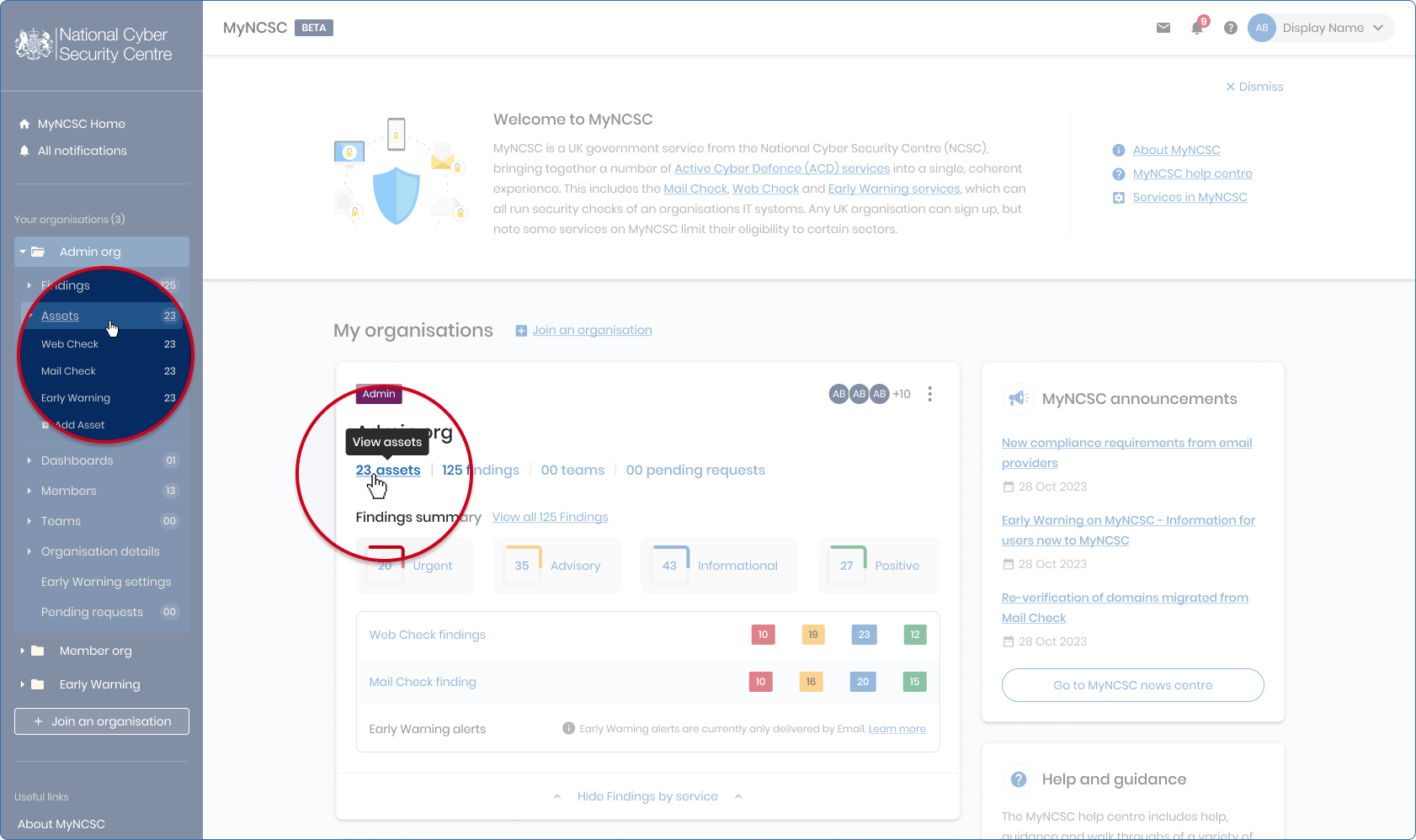
- To view your organisation's assets, select Assets on the Organisation card on the MyNCSC homepage, or in the left-hand side menu.
- Once on the Assets page, select Add assets, which is located on the right-hand side of the page.
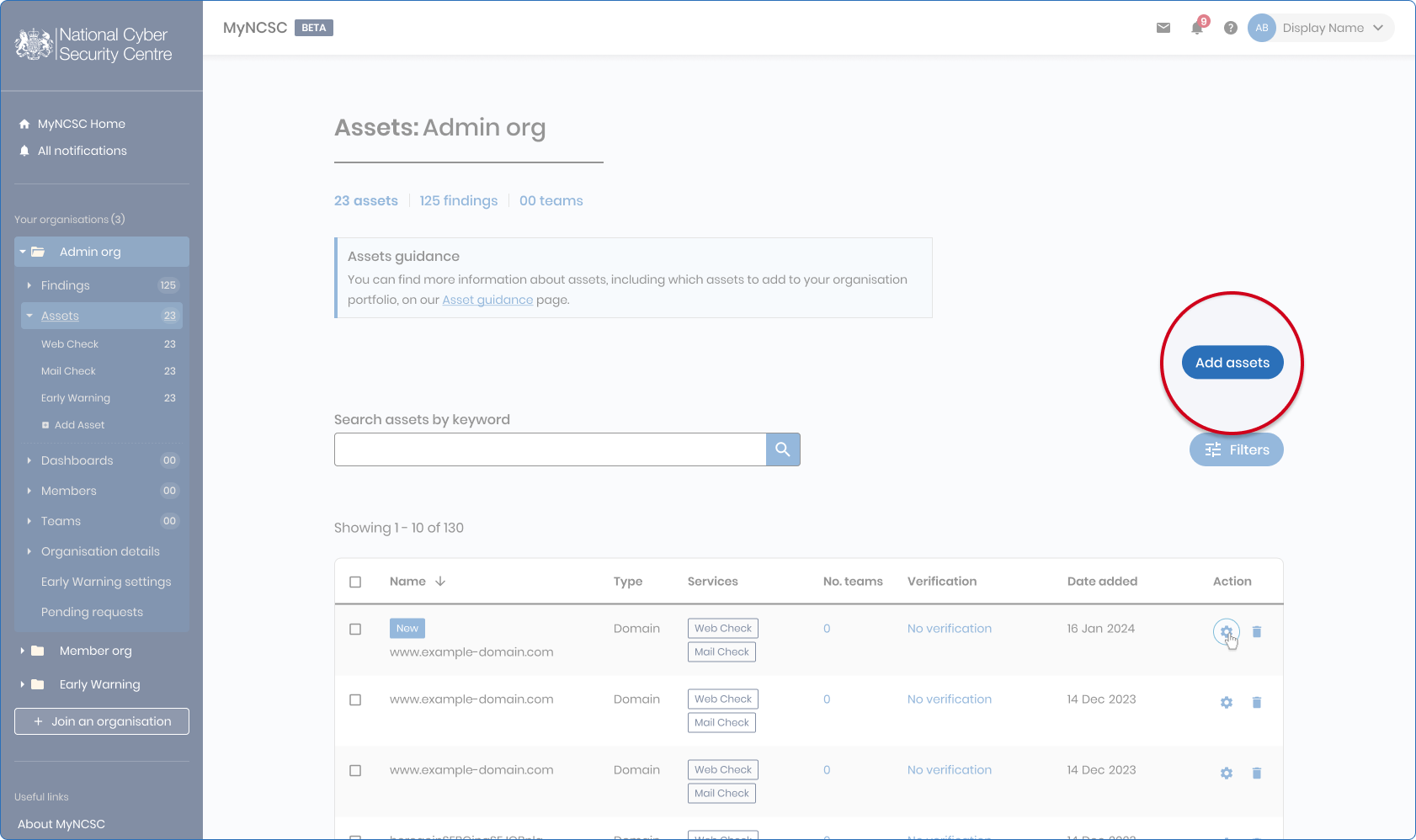
MyNCSC Assets page
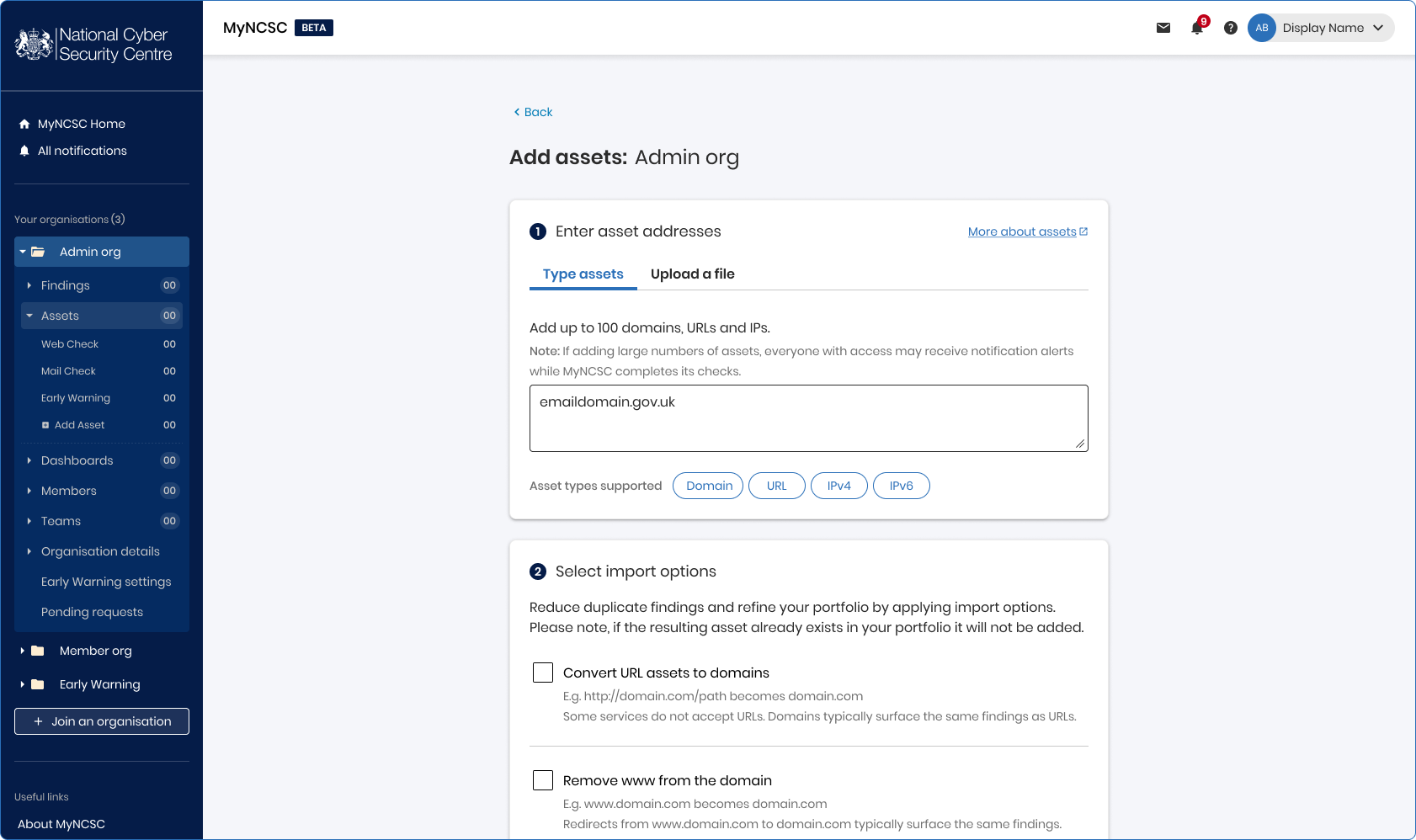
- Enter your asset(s) addresses (URL, domain and IP address supported).
- Select which of the MyNCSC services you want to use to monitor the asset(s).
- Select Add assets to portfolio.
- Once completed, you will have a summary page displayed to you covering what you've done.