Guidance
MyNCSC Help Centre
Page 13 of 22
Managing your MyNCSC user account
- Account Settings can be accessed by selecting Account settings in the top-right corner of your screen.
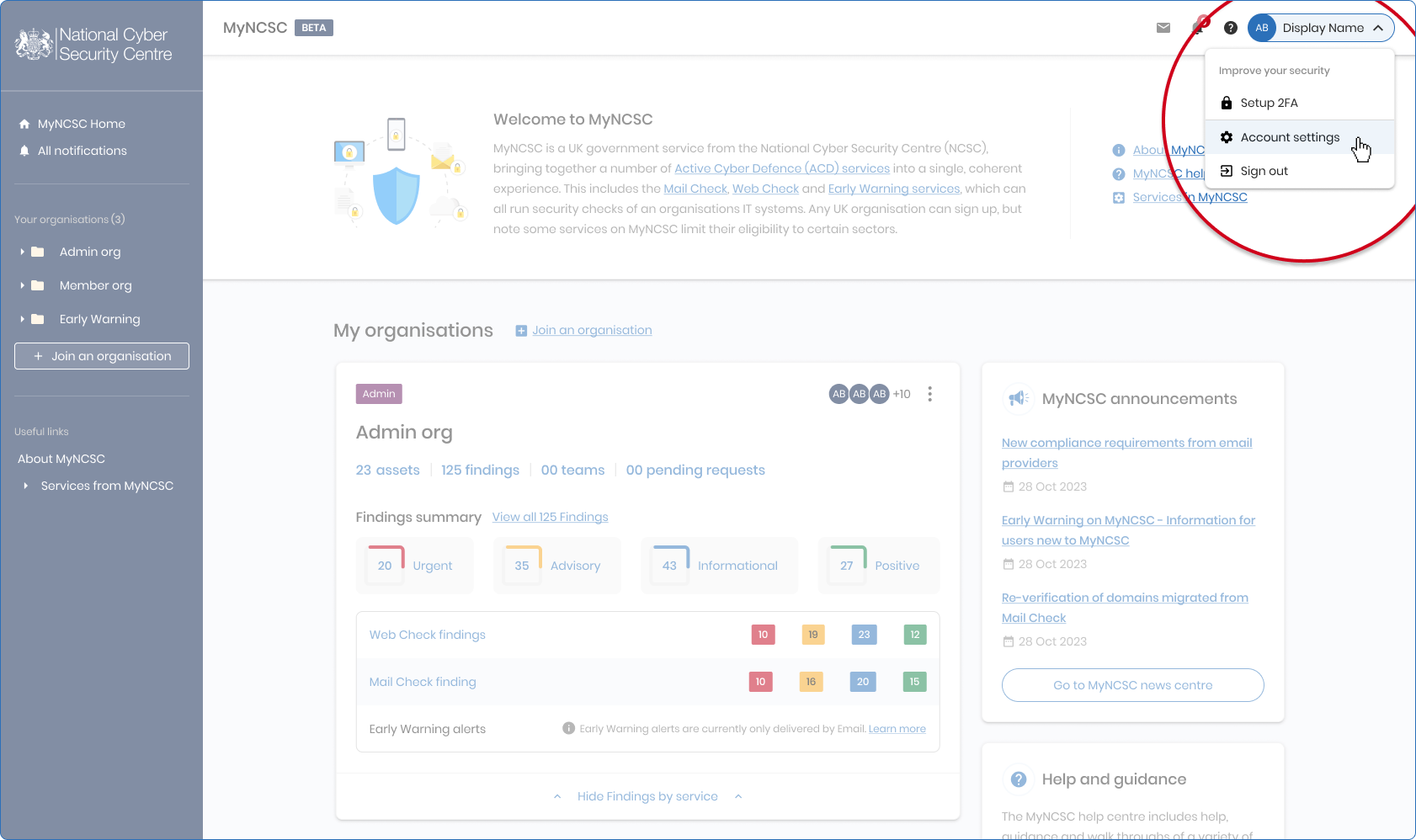
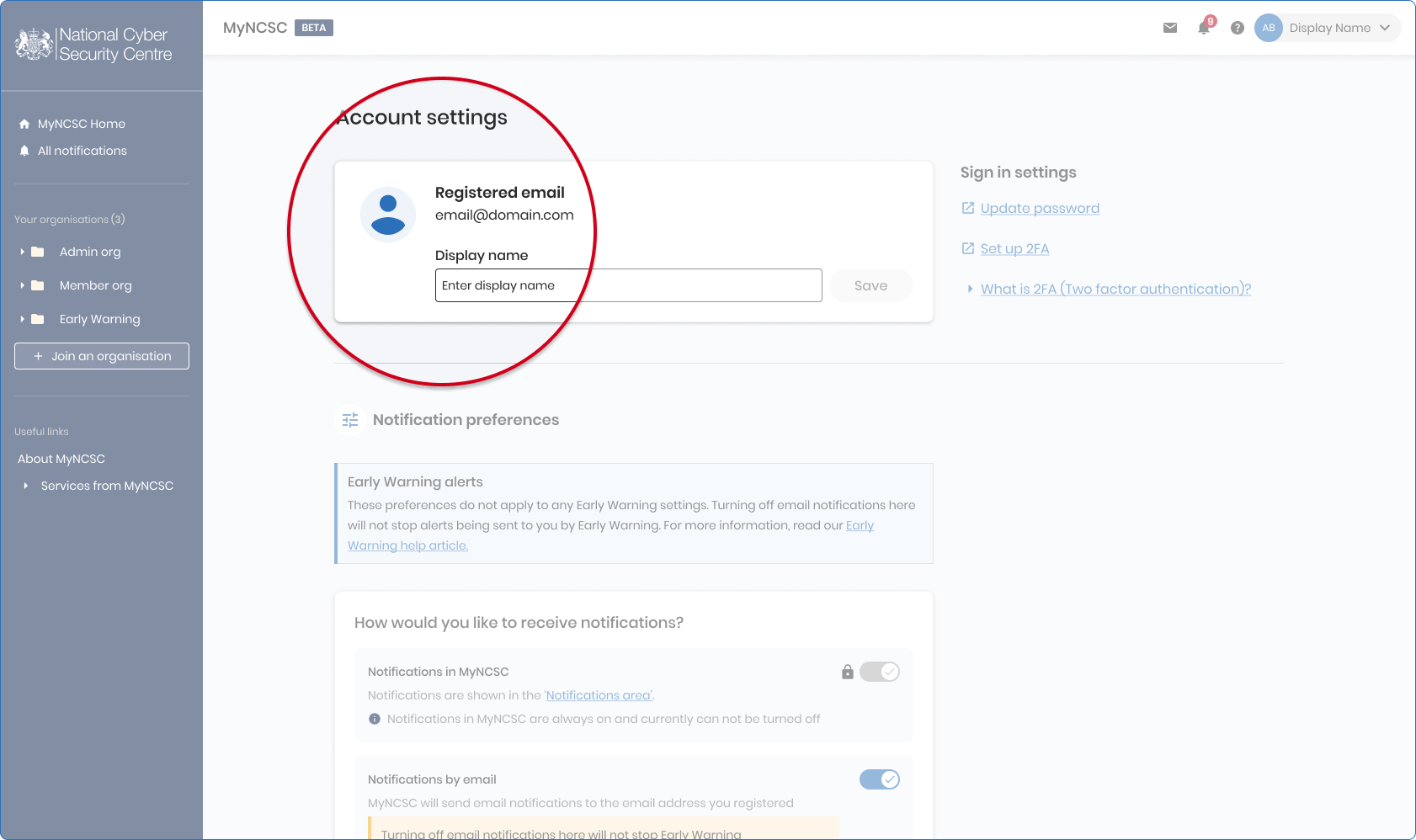
- You can change your display name and password within this area
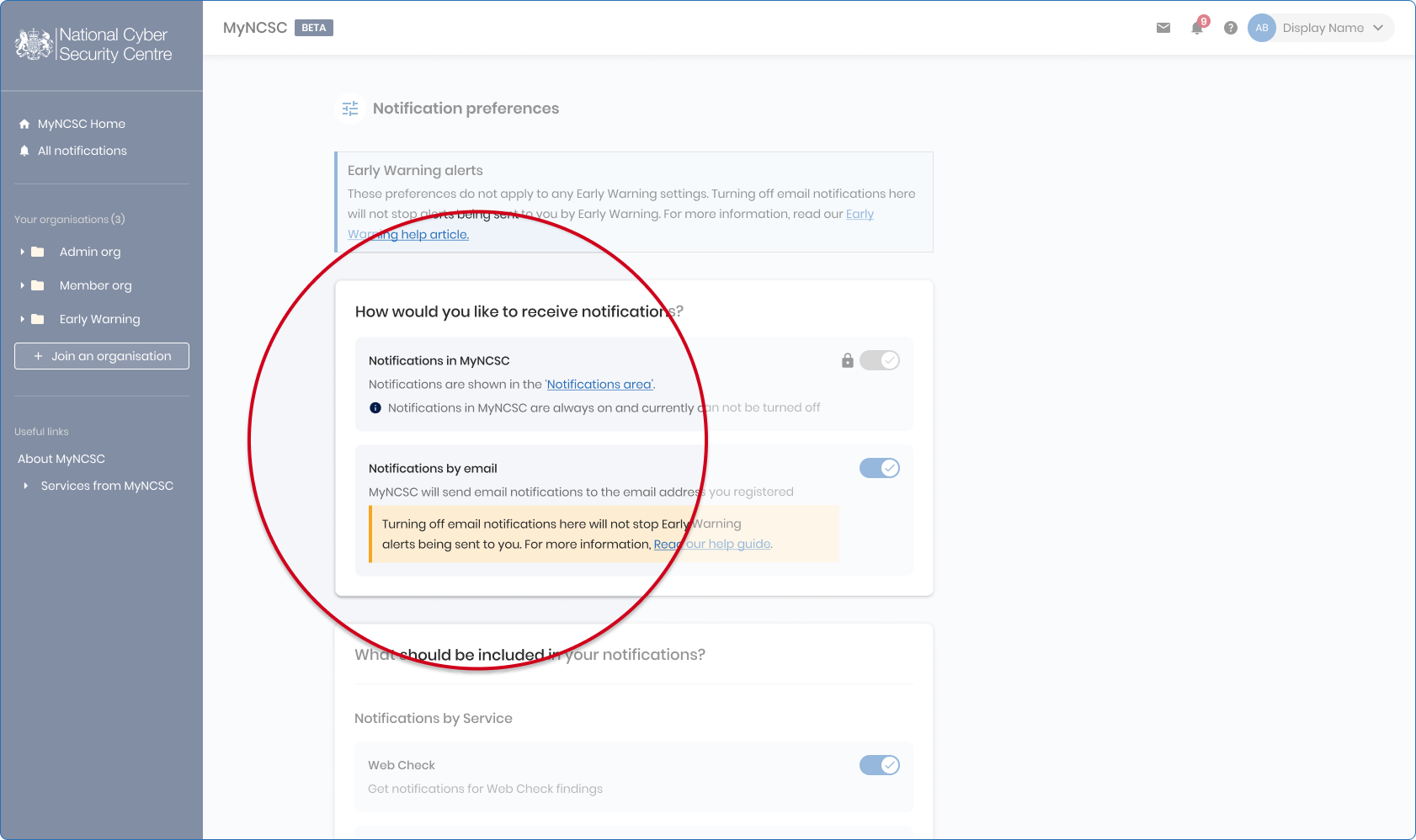
- You can choose how you receive notifications (by email in addition to within the platform) and control what kind of notifications are sent to you using the notification preferences section.
- We recommend that you follow the instructions to set up 2-step verification (2SV).