Using online services safely
Page 8 of 10
Defending your online accounts from malware
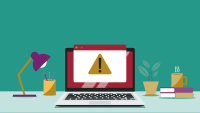
Viruses and other kinds of malicious software (known as 'malware') running on devices can steal passwords and 2SV codes. You can reduce the risk of this happening by only accessing services from devices that you trust.
-
Tip 6: Keep your devices up to date and protected
For all work devices (including tablets, phones, laptops and desktop computers) you should make sure that the software is kept up to date. This applies to the device itself, as well as the software and apps you’ve installed on it. It’s one of the most important things you can do to keep your devices and data secure, which is why we’ve produced guidance on installing updates. In particular:
- apply the updates when you’re prompted to do so
- make sure all your devices are set to automatically install these updates
Antivirus software is included for free with most laptops and desktop computers, so check that it’s switched on and kept up to date. Mobile tablets and smartphones usually do not need additional antivirus products, provided you install apps from a widely-trusted app store (such as Apple’s App Store and Google Play). For more detailed information about protecting your devices, refer to our guidance on protecting your organisation from malware.
-
Tip 7: Only use trusted devices to log into work accounts
You should not use devices that you don’t have reason to trust enough for work purposes. That means you should never log in to your work accounts using a device provided in places like a hotel, café, or station. This also includes other people’s devices such as those your friends or family use for their own purposes.
The amount of trust you want in a device should be based on what it will be able to do and access. For example, users should only use a device that they know has been kept up to date and protected when logging into admin and staff accounts. Similarly, your organisation may choose whether to allow users that only have limited access to log in from a personal device as long as you trust them and they trust their device.