Top tips for staying secure online
Top tips to ensure you are doing all you can to secure you and your family online
Page 4 of 7
Turn on 2-step verification (2SV)
Turning on 2SV is one of the most effective ways to protect your online accounts from cyber criminals.
You should protect your most important accounts (such as email, banking, social media and online shopping) by making sure you have 2-step verification turned on for each of them.
2-step verification (2SV), which is also known as two-factor authentication (2FA) or multi-factor authentication (MFA), helps to keep cyber criminals out of your accounts, even if they know your passwords. The NCSC recommend you take time to set up 2-step verification on all your important accounts, even for ones that you've protected with strong passwords.
How does 2-step verification work?
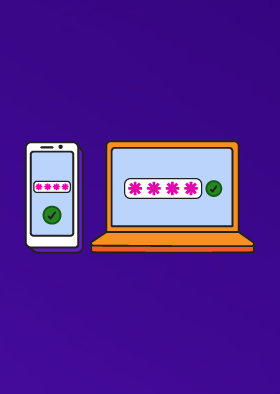
When you set up 2-step verification, you’ll be sent a PIN or code, often by SMS or email. You then need to enter this PIN to prove that it's really you (since it’s presumed only you - and not the cyber criminal) can access your phone or email.
There are different types of 2-step verification. So instead of entering a PIN or code, you may be able to enter your fingerprint, or face scan, or use an app (such as those provided by Microsoft or Google). You don't necessarily need a mobile phone to turn on 2-step verification; some organisations will let you use a landline number, or a separate device (such as a card reader for online banking) or a USB stick.
The important thing is that whatever type you choose (and you can check your service provider’s website to see which type they support), it only takes a few minutes to set up 2-step verification. Once you’ve done this, you’re instantly much safer online. You won't have to enter the PIN (or provide your fingerprint) every time you use a service; depending on how it’s set up, you’ll only need to do this when ‘suspicious’ activity is detected (such as a login attempt from a different device, or a request to change the password).
Why should I take time to set up 2-step verification?
It's easier than you think for someone to steal your password.
Even if you've always looked after your passwords (and taken the time to create a strong one and avoided the worst passwords that millions of people still use), they can still be stolen through no fault of your own.
The most common way that passwords are stolen is when an organisation holding your details suffers a data breach. Criminals will use passwords stolen in the breach to try and access other accounts, a technique (known as 'credential stuffing') that works because many people use the same password for different accounts.
Criminals may also try and trick you into revealing your passwords by sending you links to scam websites asking you to log in, either by email, text message or direct messages/chat (a term known as 'phishing').
Even if your passwords are hard to guess, that doesn't make them any harder to steal. In other words, even accounts protected with strong passwords will benefit from using 2-step verification.
How to turn on 2-step verification
If 2-step verification is available for an account, the option to switch it on is usually found in the security settings for the account. Note it may also be called two-factor authentication (2FA) or multi-factor authentication (MFA).
For instructions on how to turn on 2-step verification for specific services (and devices), please refer to the following links:
Find out more
- For more detailed information about the different types of 2-step verification, and how to set it up, please refer to the NCSC’s detailed guidance on setting up 2-step verification.
- If you’re responsible for setting up 2SV for your organisation, you should refer to our guidance on multi-factor organisation for online services.