Setting up 2-Step Verification (2SV)
Introduction
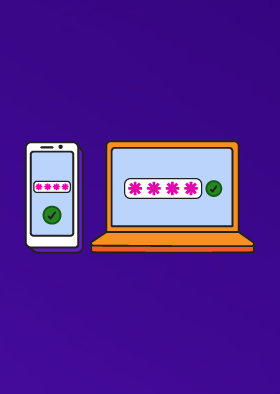
This guidance explains how you can set up 2-step verification (2SV) on your important online accounts. Doing this makes it harder for criminals to access your online accounts, even if they know your password.
IT professionals who need advice on implementing 2SV across larger organisations should refer to the NCSC's separate guidance on multi-factor authentication for online services.
What is 2-Step Verification (2SV)?
2-step verification (often shortened to 2SV) provides a way of 'double checking' that you really are the person you are claiming to be when you're using online services, such as banking, email or social media. It is available on most of the major online services. 2-step verification (2SV) is also known as two-factor authentication (2FA) and multi-factor authentication (MFA).
When setting up 2SV, the service will ask you to provide a 'second step', which is something that you (and only you) can access. This could be a code that's sent to you by text message, or that's created by an app.
Why should I use 2SV?
Passwords can be stolen by cyber criminals, potentially giving them access to your online accounts. However, accounts that have been set up to use 2SV will require an extra check, so even if a criminal knows your password, they won't be able to access your accounts.
The NCSC recommends that you set up 2SV on your 'important' accounts; these will typically be the 'high value' accounts that protect things that you really care about, and would cause the most harm to you if the passwords to access these accounts were stolen. You should also use it for your email, as criminals with access to your inbox can use it to reset passwords on your other accounts.
How do I set up 2SV?
Some online services will already have 2SV switched on. However most don't, so you will need to switch it on yourself to give extra protection to your other online accounts, such as email, social media and cloud storage. If available, the option to switch on 2SV is usually found in the security settings of your account (where it may also be called 'two-factor authentication').
The Cyber Aware pages contain up-to-date links to the instructions on how to set up 2SV across popular online services such as Gmail, Facebook, X (formerly Twitter), LinkedIn, and Outlook.
What are the different 'types' of 2SV?
When 2SV is switched on, you'll be asked to provide a second step in order to access your account. There are several types of second steps available:
There are other second steps, that are offered by a few services. For example, some have apps that just ask you for permission once you've logged in. Others let you use 'security keys', which are small devices you can buy. You may also be able to use email as the second step, provided it's a different email account from the one used to reset your password. If your account offers one of these, and you think it would work for you, then they are all good second steps.
It's also a good idea to have a backup plan, in case you haven't got access to your usual second step(for example, if the battery on your mobile phone has run out). Many services let you set up more than one option for this reason. Backup codes are ideal for this, since they can be used even if you lose your phone.
Note that some services use memorable information or a security question (such as 'What was the name of your first pet?') as an alternative to 2SV. These do not offer the same protection so you should still turn on 2SV if it is available.
Do I have to use 2SV every time I access a service?
No. Once set up, you should only be asked for it when you're doing something where it would really matter if it was a cyber-criminal, rather than you. These are usually things like setting up a new payee for your bank account, logging into an account from a new device, or changing your password. This stops cyber-criminals from doing things that could harm you, but means that you don't have to be checked every time. If you are asked for your second step every time you log in on your own device, you can look for an option such as 'remember my device' or 'remember this browser'.
What if 2SV isn't available?
The NCSC would like to see 2SV offered on all services which might hold your personal data, spend your money, or play another important role in your life. While many major services do offer it, there are still some that do not. If 2SV is not available on one of your important accounts, like email, you should ensure that it has a strong unique password. You may even want to consider changing services to one that does offer 2-step verification.